AI Coding on Your Terms
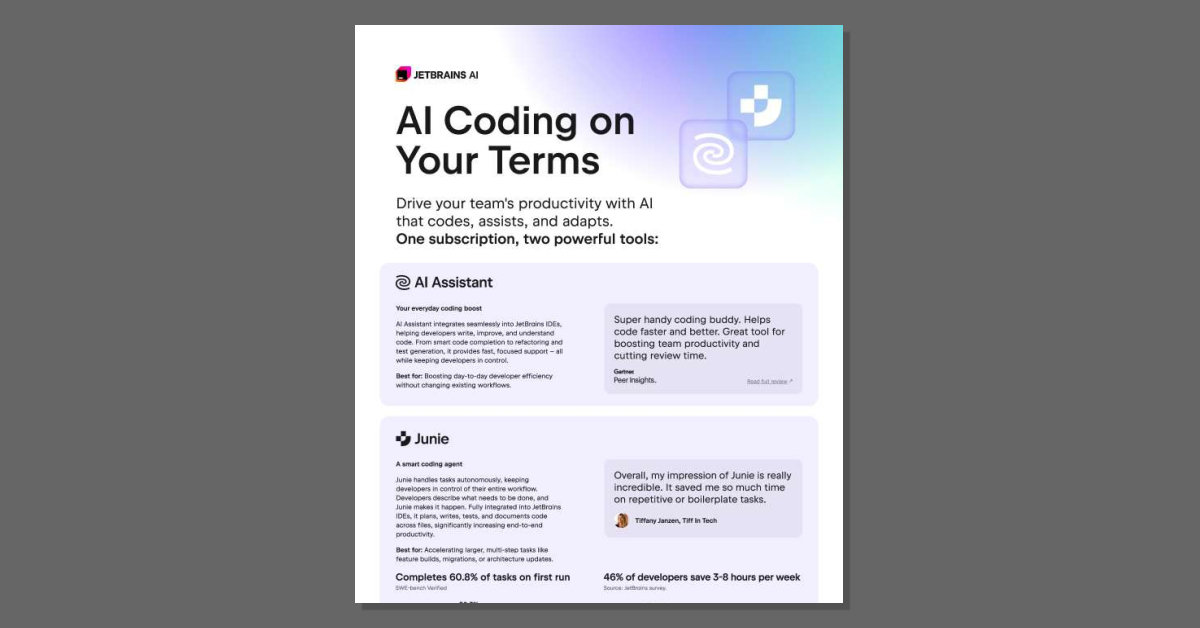
Want AI that speeds up coding without taking the keyboard out of your developers' hands? This leaflet shows how JetBrains AI combines AI Assistant for daily coding support with Junie, an autonomous agent that handles multi-step tasks like feature builds and migrations. Read the leaflet to see how teams can move faster with zero data retention and no code training.
How does JetBrains AI fit into our existing development workflow?
JetBrains AI is designed to work inside the JetBrains IDEs your team already uses, so there’s no need to switch tools or learn new interfaces.
AI Assistant is your day-to-day coding boost. It:
- Integrates directly into JetBrains IDEs (no extra app or browser tab).
- Helps with smart code completion, refactoring, and test generation.
- Explains and improves existing code so developers stay in control of decisions.
Junie is a more autonomous coding agent for larger, multi-step work. Developers describe what needs to be done, and Junie:
- Plans, writes, tests, and documents code across multiple files.
- Is especially useful for feature builds, migrations, and architecture updates.
- Completes about 60.8% of tasks on the first run, which helps cut review time.
Because both tools are IDE-native, your team can reimagine how they approach coding tasks while keeping their familiar workflows and tools.
What productivity impact can we realistically expect?
Teams use JetBrains AI to reshape both everyday coding and larger development tasks.
For day-to-day work, AI Assistant helps developers:
- Write and improve code faster with smart completion and refactoring.
- Generate tests and understand unfamiliar code more quickly.
- Stay focused in the IDE instead of jumping between tools.
For bigger, multi-step tasks, Junie acts as a smart coding agent that:
- Handles feature builds, migrations, and architecture updates end to end.
- Automates repetitive or boilerplate work so developers can focus on higher-value decisions.
- Completes around 60.8% of tasks on the first run, reducing back-and-forth review.
According to a JetBrains survey, 46% of developers report saving 3–8 hours per week using these AI capabilities. That time typically comes from reduced manual coding, less boilerplate, and faster understanding of complex codebases.
How does JetBrains AI handle security, data, and pricing?
Security and data handling
- No training on your code: JetBrains states that it does not train its models on your proprietary code.
- Training sources: Proprietary models are trained on public, permissively licensed code, not on your private repositories.
- Zero data retention (AI Pro): For the AI Pro plan, JetBrains does not retain data on its servers or through subcontractors.
Subscription options
- AI Pro – Best for regular daily use with:
- AI Assistant for everyday tasks.
- Access to Junie when needed.
- 20 AI Credits included; top-ups available at 1 AI Credit ≈ 1 USD (billed in local currency).
- AI Ultimate – For more intensive, day-to-day AI workloads:
- Includes 70 AI Credits for heavier usage.
- AI Enterprise – For organizations that need enterprise-grade controls:
- Enterprise-level security and compliance.
- Access control and custom AI integrations.
- On-premises or hybrid deployment options.
JetBrains AI is offered as a single subscription that covers a suite of AI solutions integrated into JetBrains IDEs, making it easier to manage adoption across teams. Many organizations, including companies from the Fortune Global Top 100, already use JetBrains tools, which can simplify rollout and governance.
AI Coding on Your Terms
published by Network Technology Solutions
Network Technology Solutions, LLC (“NTS”) provides technology solutions that are aimed at
helping organizations by simplifying infrastructure management, improving productivity, and
optimizing information technology (“IT”) resources. Their service vision is to provide high value
solutions and services that enable their customers to focus on strategic business initiatives.
NTS offers a variety of solutions to help their customers address IT issues such as IT
management, infrastructure hosting, infrastructure management, infrastructure security, and IT
optimization.
NTS maintains its headquarters in Thomasville, Georgia as well as a 240 square foot data
center. NTS occupies three racks of collocated space between a second location in Thomasville
GA and a third location in Atlanta GA.
NTS complements their customers’ existing IT capabilities on a per-project basis or acts as a
virtual extension of the IT organization, providing the foundation for a comprehensive managed
services partnership. The following is a description of the Network Managed Services,
Application Development, and Hosting Services provided by NTS to its customers. The scope of
this report is limited to the Network Managed Services, Application Development, and Hosting
Services solutions.
Network Managed Services, Application Development, and Hosting Services - NTS uses its data
center, proprietary documentation and monitoring tools, and certified employees to provide
their customers with quality IT administrative and management services.
NTS’ Network Managed Services, Application Development, and Hosting Services include
housing and managing computers and network equipment supporting their customers’
business. NTS provides a continuum of services from basic colocation to the more advanced
managed hosting.




 Sign in with LinkedIn