Build your 30-day Copilot success plan - Microsoft Adoption
Turn a 25-user, 30-day Microsoft 365 Copilot Business trial into momentum. Answer a few quick questions to generate a tailored weekly roadmap featuring practical scenarios, guided activities, and ready-to-use prompts. Explore Build Your 30-Day Copilot Success Plan for an at-a-glance view of easy setup, clear progress, and faster time-to-value.
What is a 30-day Copilot success plan?
A 30-day Copilot success plan is a structured, short-term roadmap that helps your organization start using Microsoft Copilot in a focused, low‑risk way.
In practice, it usually includes:
- Clear goals for the first month – for example, reducing meeting follow‑up time or improving how customer service teams respond to inquiries.
- User engagement tools and templates – Microsoft provides ready-made assets so you can communicate the value of Copilot, collect feedback, and guide users through their first tasks.
- Guided rollout across priority scenarios – such as using Copilot in Dynamics 365 Customer Service or in Microsoft Teams meetings, webinars, and town halls.
By focusing on a 30-day window, you can:
- Test Copilot in real workflows without committing to a full-scale program on day one.
- Gather data on adoption, usage, and impact.
- Refine your approach before expanding to more teams and use cases.
Overall, the plan is designed to help you reimagine how your teams work with AI, while keeping the rollout manageable and measurable from the start.
How can we use Copilot in customer service and meetings?
Microsoft Copilot is built to plug into the tools many teams already use every day, so you can reshape specific workflows without overhauling your tech stack.
In Dynamics 365 Customer Service, Copilot can help your agents by:
- Surfacing relevant information from cases and knowledge articles.
- Helping draft responses and summarize case details.
- Speeding up routine tasks so agents can focus on complex issues.
In Microsoft Teams meetings, webinars, and town halls, Copilot and the new meeting controls experience can:
- Streamline how you schedule, run, and follow up on meetings.
- Support large-scale events like webinars and town halls, where consistency and clear communication are key.
- Help standardize how information is captured and shared post‑meeting.
Using Copilot across both customer service and collaboration scenarios allows you to rethink how information flows between teams—reducing manual effort and making customer and meeting insights easier to act on.
What tools and resources does Microsoft provide to drive Copilot adoption?
Microsoft provides a set of resources designed to make Copilot adoption more predictable and easier to manage:
- User engagement tools and templates – Communication templates, talking points, and basic guidance you can adapt for internal launch emails, FAQs, and quick-start guides.
- Structured learning and events – Options like virtual workshops, training, and conferences (for example, the Microsoft 365 and AI-focused ESPC conference) where your teams can learn from experts and peers.
- Integration guidance – Documentation and learning content through Microsoft Learn, the Tech Community, and product release notes, so your IT and business teams understand how Copilot fits into Microsoft 365, Dynamics 365, Teams, and the broader Microsoft Cloud.
These assets help you:
- Introduce Copilot in a way that matches your organization’s communication style.
- Support users in the first 30 days with clear “how-to” examples.
- Gather feedback, iterate, and gradually expand from pilot groups to broader adoption.
By combining these resources with your own processes and KPIs, you can reimagine how AI supports everyday work while maintaining governance and clarity for your users.
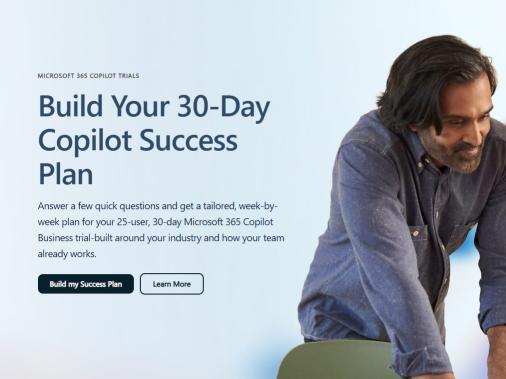
Build your 30-day Copilot success plan - Microsoft Adoption
published by Network Technology Solutions
Network Technology Solutions, LLC (“NTS”) provides technology solutions that are aimed at
helping organizations by simplifying infrastructure management, improving productivity, and
optimizing information technology (“IT”) resources. Their service vision is to provide high value
solutions and services that enable their customers to focus on strategic business initiatives.
NTS offers a variety of solutions to help their customers address IT issues such as IT
management, infrastructure hosting, infrastructure management, infrastructure security, and IT
optimization.
NTS maintains its headquarters in Thomasville, Georgia as well as a 240 square foot data
center. NTS occupies three racks of collocated space between a second location in Thomasville
GA and a third location in Atlanta GA.
NTS complements their customers’ existing IT capabilities on a per-project basis or acts as a
virtual extension of the IT organization, providing the foundation for a comprehensive managed
services partnership. The following is a description of the Network Managed Services,
Application Development, and Hosting Services provided by NTS to its customers. The scope of
this report is limited to the Network Managed Services, Application Development, and Hosting
Services solutions.
Network Managed Services, Application Development, and Hosting Services - NTS uses its data
center, proprietary documentation and monitoring tools, and certified employees to provide
their customers with quality IT administrative and management services.
NTS’ Network Managed Services, Application Development, and Hosting Services include
housing and managing computers and network equipment supporting their customers’
business. NTS provides a continuum of services from basic colocation to the more advanced
managed hosting.



 Sign in with LinkedIn